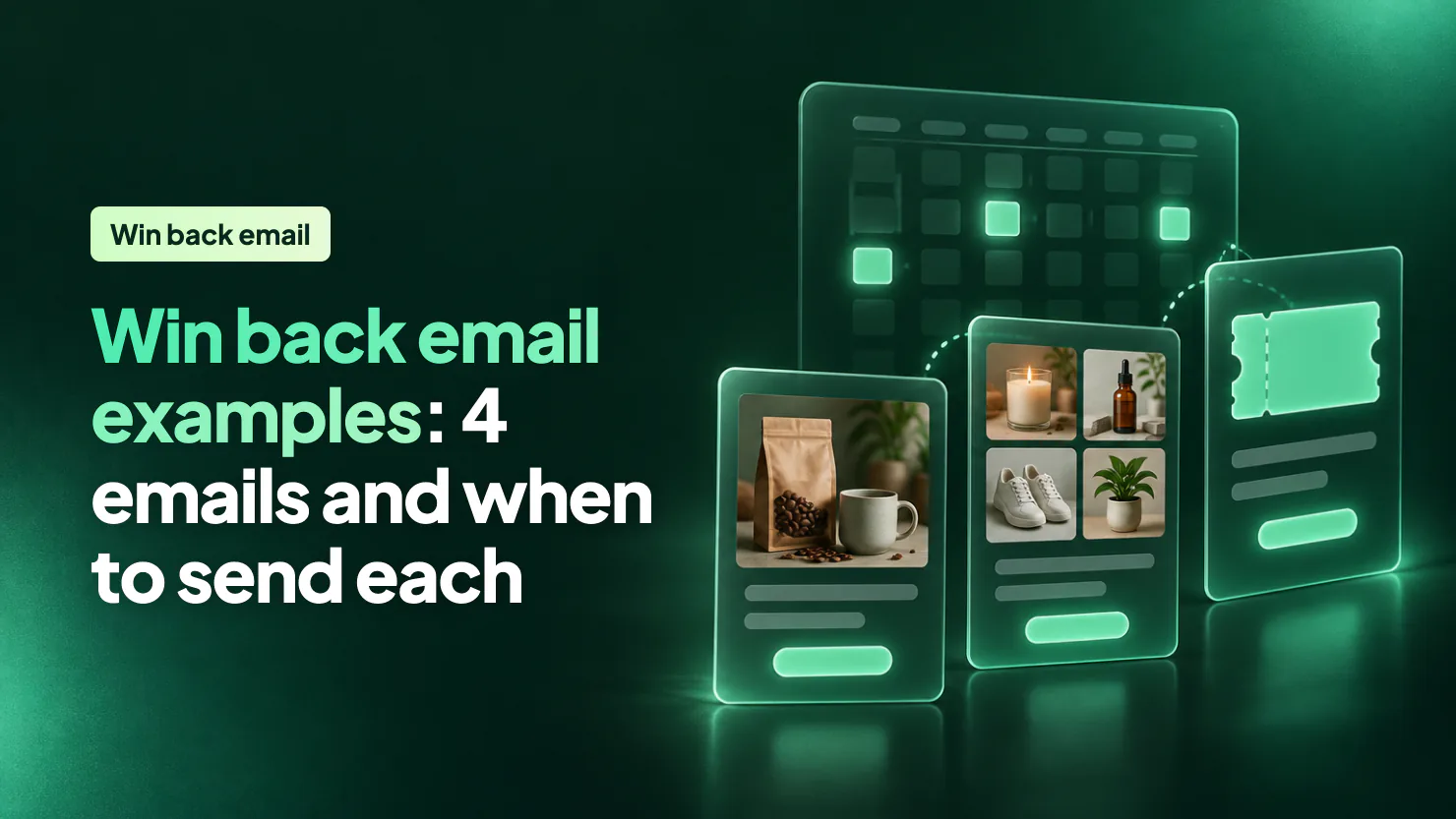
A win back email goes to a past buyer who has gone quiet. Send the first once they are overdue for another order, about one and a half times your usual gap between orders (a rule of thumb, not a benchmark). Add a second and a third, then stop. Shopify Messaging's Win back customers template sends the first.
Say your store has 1,000 customers and 700 of them ordered once. Your emails still go to the whole list, and the quiet ones stop opening. A short run of emails to only the overdue ones, timed to when your product runs out, gives them a reason to order again.
What is a win back email, and who gets one?
A win back email goes to someone who bought before and has not ordered again in a while. Three other emails go to different shoppers.
| Who gets it | Shopify's template | |
|---|---|---|
| Abandoned cart | Added to the cart or started checkout, did not pay | Recover abandoned cart and Recover abandoned checkout, in abandoned cart email |
| Browse abandonment | Looked at a product and left | Convert abandoned product browse, in browse abandonment email |
| Win back | Bought before, quiet since | Win back customers |
| Re-engagement | Subscribed, stopped opening | Subscriber re-engagement, a newsletter template |
The email that follows an order is a different one, covered in the post-purchase email flow.
How does Shopify send a win back email?
Shopify Messaging has a Win back customers template under Post-purchase, and it sends one email to customers who agreed to marketing. To find it, open Apps, then Messaging, then Automations, then Create automation. It sends on Basic or a higher Shopify plan. Setup, step by step, is in how to get repeat customers.
Since October 2024 the template starts when a customer joins a segment, a list of customers that updates itself. Shopify's changelog says the segment and the email should be reviewed and updated to suit your store.
Shopify Flow, Shopify's automation app, lists a template with the same name. Its description, read there on November 23, 2026, says it sends a discount to customers who have not ordered in the last 60 days. Its preview adds that it is not started for existing segment members, so anyone already in the segment when you turn it on gets no email.
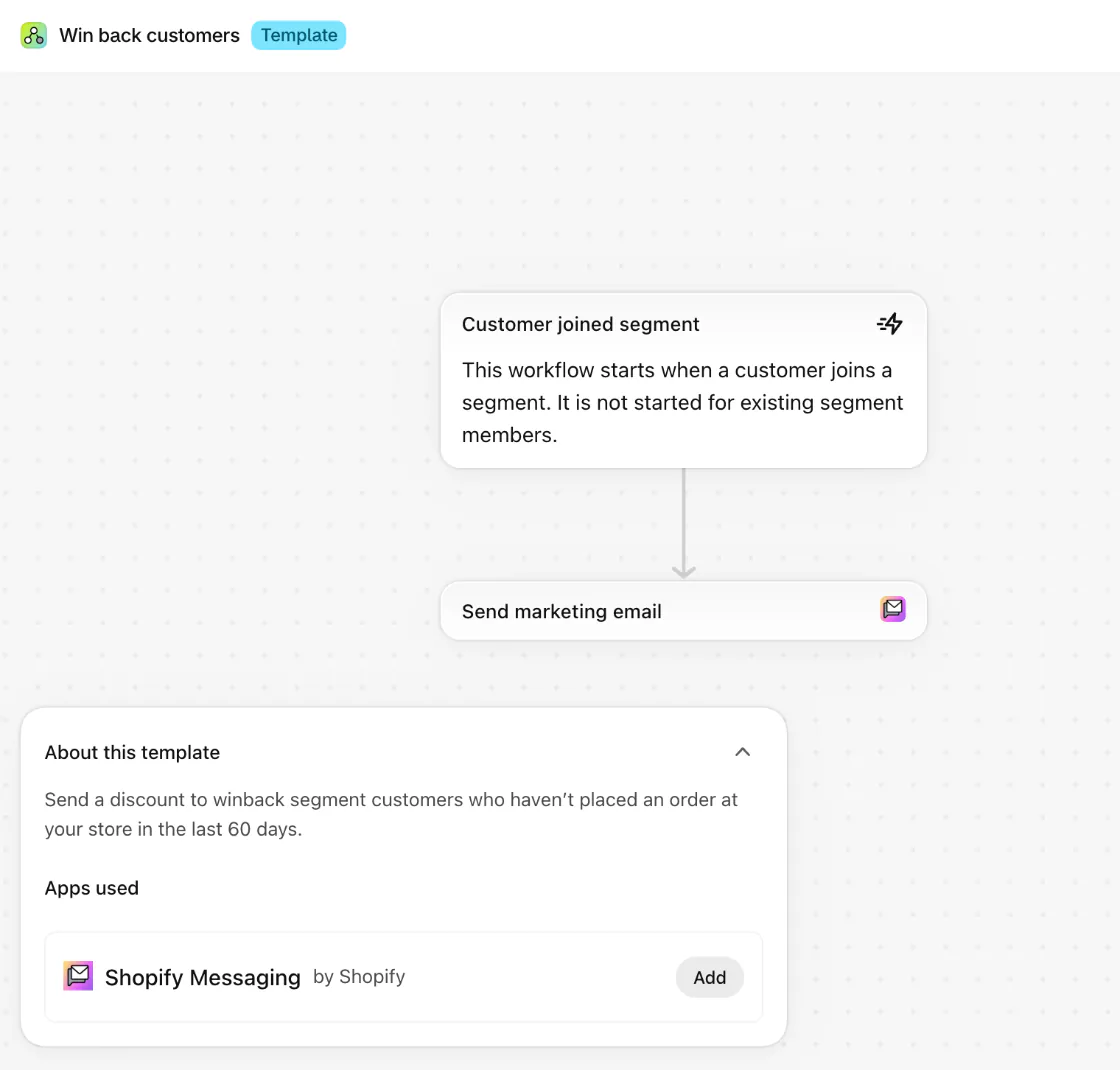
Read the email before you turn the template on. Flow's description says it sends a discount, and you may want to hold any code for your last email. Every win back email counts toward your first 10,000 free emails each calendar month, then it costs $1 USD per 1,000. Does Shopify have email marketing? has the rest of the pricing.
When should you send a win back email?
Send it once a buyer is overdue, which depends on how fast your product runs out, not on a fixed number of days. Shopify's enterprise blog (September 2025) gives the example of coffee that customers reorder every four weeks, and it enters them in a win back series at about six weeks. For a phone, it says not to wait more than 12 months.
Six weeks is one and a half times the four-week gap, a rule of thumb from one example.
| What you sell | Usual gap (an example) | First email | Next |
|---|---|---|---|
| Things people use up: coffee, vitamins, pet food, skincare | 4 weeks | About 6 weeks after the last order | Then every 2 weeks |
| Things replaced a few times a year: basics, candles, accessories | 3 months | About 4 to 5 months after the last order | Then monthly |
| Seasonal things: swimwear, gift sets, holiday decor | One season a year | 2 to 4 weeks before the season returns, not counted from the last order | One more as it opens |
| Things bought rarely: furniture, bikes, cameras | Years | Within 12 months, about a related product, as in Shopify's phone example | Twice a year at most |
Only the coffee example (four weeks, then six) and the phone seller's 12-month limit come from Shopify. The rest is our own reasoning.
To find your own gap, open Analytics, then Reports, and pick the Customers category. "Customer cohort analysis" groups customers by the month of their first order and shows when they order again. "Returning customers" lists every customer with two or more orders, with the dates of their first and latest order. Shopify reports shows how to open each one.
Shopify Flow's Win back customers description names 60 days without an order. If 60 days is later than your product needs, the email is late. If your product lasts a year, 60 days is early.
Who should get a win back email?
Send it to a customer segment, a list that updates itself, so anyone who orders again drops off it before the next email. Open Customers, then Segments, then Create segment. Click the Templates icon (its tooltip reads "Open templates") and choose the "Re-engage customers" category in the "Segment templates" panel.
Pick "Customers who haven't ordered recently but used to do so frequently", which the card describes as buyers who ordered in the past year but not lately, and save it as a segment.
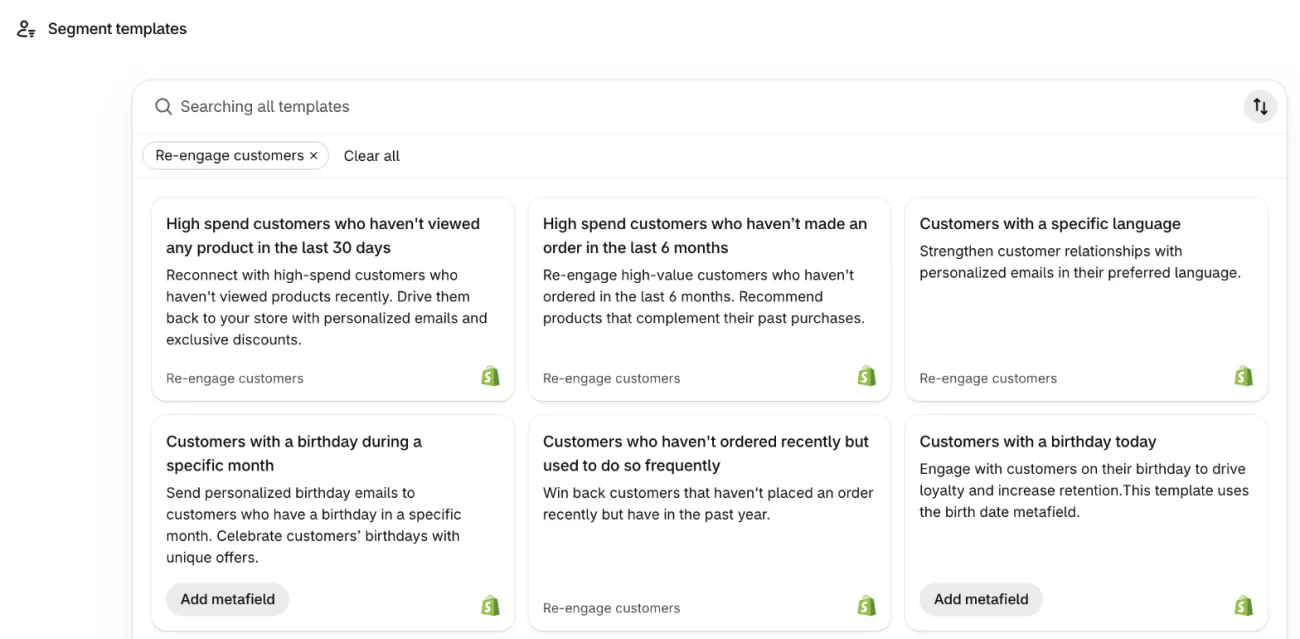
Shopify's enterprise blog advises starting with your highest-value quiet buyers, and the card "High spend customers who haven't made an order in the last 6 months" is built for them. If no card fits, Shopify's help says Sidekick, Shopify's assistant, can write a segment from a plain description, such as customers who last ordered more than 90 days ago and are subscribed to marketing emails.
Only subscribed customers get the email, so a quiet buyer who never subscribed is out of reach. Shopify's RFM groups, such as At risk and Dormant, give you another starting list, and what is RFM analysis? shows how to open them. Buyers who stop returning are what your churn rate measures.
What should a win back email say?
Give one reason to come back, one product or collection, one button, and no guilt.
- Name what they bought and when it was.
- Say what has changed since, such as a new item, faster delivery or a fix.
- Link the product they bought, or its collection, not your home page.
- Keep the subject to 3 to 6 words, or under 50 characters, and the email under 200 words, as Shopify's help suggests.
- Leave out a scarcity claim such as "only 3 left" unless it is true for every buyer who gets the email.
- Hold any discount code for the last email.
Win back email examples to copy
These are original templates for a made-up whole-bean coffee store whose buyers reorder about every four weeks. Swap in your own product, roast and numbers, and fill in each bracket.
Example 1: the check-in
- Send: about six weeks after the last order
- Subject: Running low on beans? (or: Time for another bag?)
- Preview text: Your last bag was in [month].
- Body: It has been about six weeks since your last bag of [roast]. If it's gone, the same roast is ready to ship. Want a change? [New roast] is in this month.
- Button: Reorder [roast]
Example 2: what's new
- Send: about two weeks after Example 1
- Subject: What's new since your last bag (or: Two roasts you haven't tried)
- Preview text: Plus faster delivery.
- Body: Since your last order we added [new roast] and cut delivery to [days] days. Here are the two to start with.
- Button: See what's new
Example 3: the offer
- Send: about two weeks after Example 2
- Subject: 10% off your next bag (or: A small thank-you, until [date])
- Preview text: Code [CODE] works until [date].
- Body: Here's 10% off your next order with code [CODE], until [date]. On a $24 bag, that's $2.40 off. This is our last email about it.
- Button: Use my 10% off
Set up the code before this email goes out. Under Discounts, click Create discount and pick "Amount off order", Shopify's type for a percentage or an amount off the whole cart. Under "Eligibility", choose "Customer segments" and your quiet-buyers segment, limit the code to one use per customer, and click "Set end date" so it ends on the date the email prints. How to create a discount code on Shopify has the steps.
Example 4: stay or go
- Send: to subscribers who stopped opening your emails, whether or not they ever bought
- Subject: Still want these emails?
- Preview text: One click if you don't.
- Body: You haven't opened one of our emails in a while. If they aren't for you, the unsubscribe link at the bottom takes one click. If they are, here is what's new.
- Button: Back to the shop
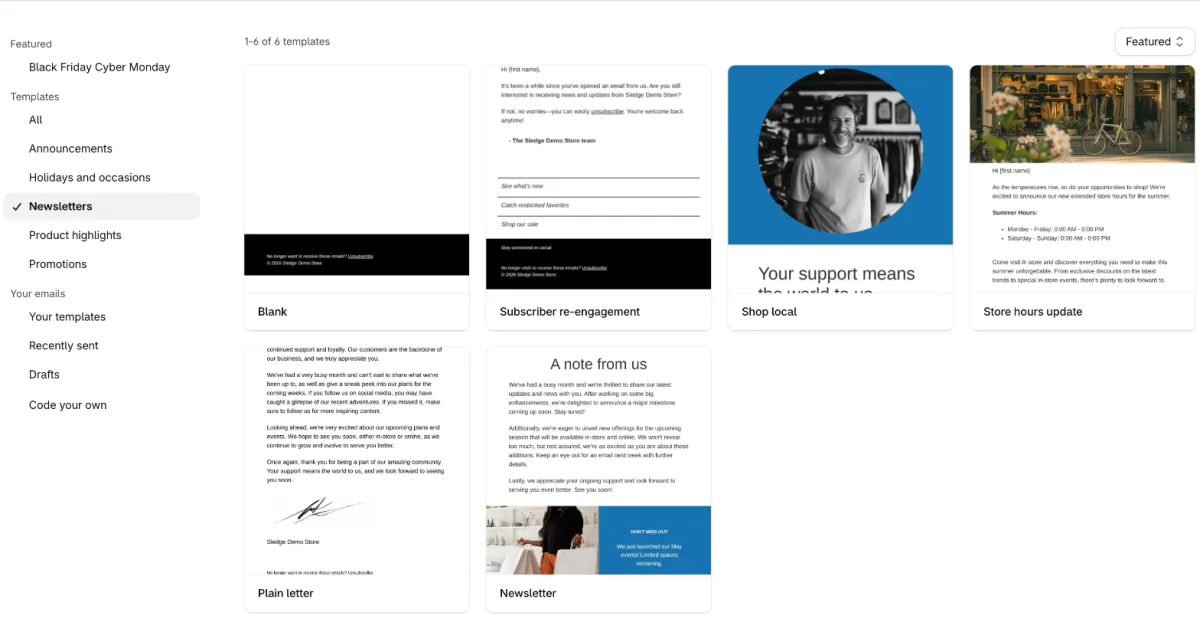
Messaging's Subscriber re-engagement template, listed with its newsletter templates, is a starting point for this one.
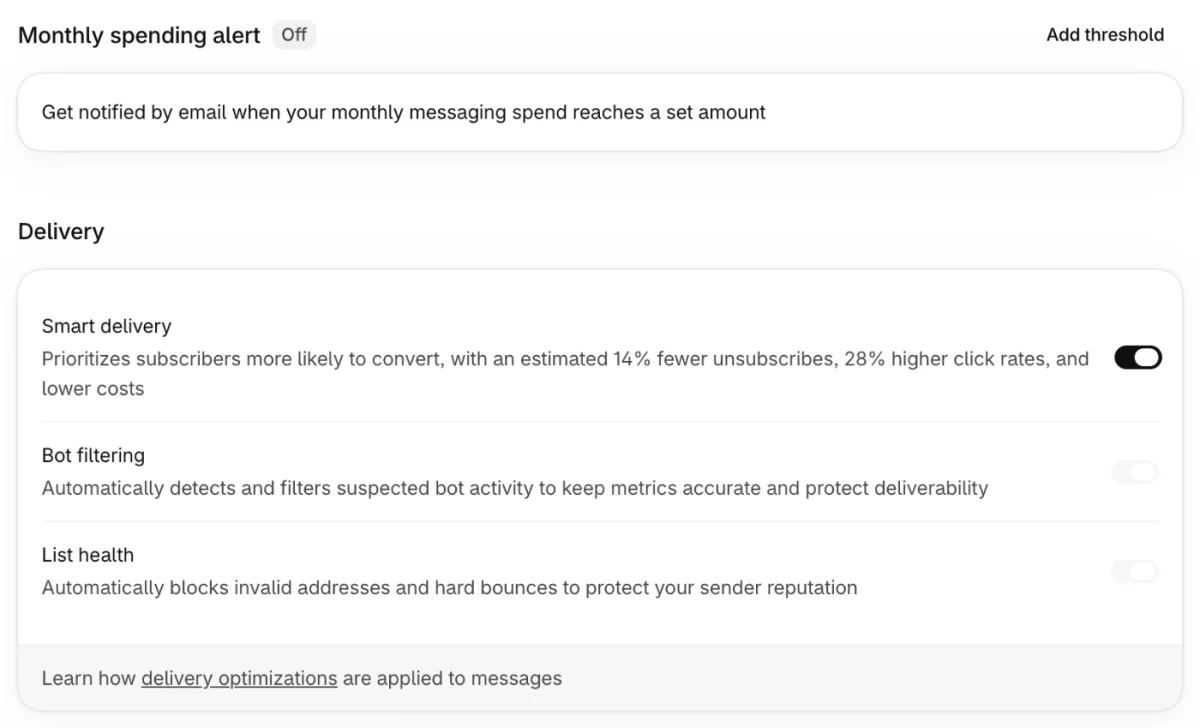
Smart delivery, on by default under Settings, then Delivery in Messaging, trims a campaign to engaged subscribers when more than 1,000 are in the segment you send to. A campaign to a large segment of quiet subscribers may reach fewer people than the segment shows. Shopify warns that turning it off can raise bounces, spam complaints and costs.
How many win back emails should you send?
Send three, four at most, then stop emailing anyone who still does not open or click. Shopify's enterprise blog says to remove subscribers who have not opened or clicked in 90 to 180 days, or after three to four win back attempts, and to offer a last chance to stay first. Example 4 is built for that last chance.
Messaging's Win back customers template sends one email, so send Examples 2 and 3 as campaigns. Open Messaging, click Create message and put the same segment in the To field. The segment updates itself, so anyone who ordered since the first email is no longer in it.
Each email counts once for every address it goes to, so three emails to 800 subscribers use 2,400 of your 10,000 free emails a month. The emails you send the rest of the month are in newsletter ideas.
How do you know a win back email worked?
The Automations page shows Reach, Sessions, Orders, Conversion rate and Sales for each automation, and clicking its title shows that one's own. Each campaign has its own email performance report in Messaging.
A second check is the segment itself. Customers who ordered have left it and newly overdue ones have joined, so a smaller segment next month is a good sign, not proof. The cohort check for whether first-time buyers now return sooner is in how to get repeat customers.
What should shoppers see after they click a win back email?
The email earns the click, and the page it lands on helps decide whether the shopper orders. Link each email to a page where the product is in stock.
A shopper who signed up to hear when a sold-out product returns asked for that email. Sledge's Back in Stock sends that alert by email only, on Accelerate and up. It is not a win back tool. Setup is in how to set up back-in-stock alerts on Shopify.
On the page the email links to, Sledge's search, filters and product recommendations help the shopper find the next thing. Its Recently Viewed row shows what they last looked at in that browser.
FAQ
Questions, answered
-

14-day free trial
Explore Sledge on your store before you decide to commit.
-

No credit card required
Start improving your store with no upfront commitment.
-

Setup in minutes
Get Sledge running without a lengthy setup process.
-

Built to grow sales
Turn shopper behavior into actions that help you sell more.
When should I send a win back email?
Send it once a buyer is overdue for another order. If most of your buyers reorder after four weeks, about six weeks is a fair first send. Shopify's enterprise blog uses the same four-then-six-week example for coffee. Treat it as a rule of thumb, then compare it with the gap in your own customer reports.
How many win back emails should I send?
Three, and four at most. Shopify's enterprise blog says to stop emailing a subscriber who hasn't opened or clicked in 90 to 180 days, or after three to four win back attempts. Shopify Messaging's Win back customers template sends one email, so send the second and third as campaigns to the same segment.
Should a win back email include a discount?
Save it for the last email. Shopify's enterprise blog says to hold the deal for later in the series, so you don't give margin to customers who only needed a nudge. Set the discount code to end on the date the email prints, and limit it to the segment you are emailing.
What is the difference between a win back email and a re-engagement email?
A win back email goes to someone who bought before and hasn't ordered in a while. A re-engagement email goes to a subscriber who has stopped opening, whether or not they ever bought. Shopify Messaging has a Win back customers automation for the first and a Subscriber re-engagement newsletter template for the second.
Can I send a win back email to customers who didn't subscribe?
Not with Shopify Messaging. Its automations send only to customers subscribed to marketing by default, and its campaigns leave out customers who don't accept email marketing. Which rules apply to your emails depends on where you sell, and Shopify's help tells you to check the laws for your region.
Does Sledge send win back emails?
No. Sledge sends no email campaigns, newsletters or saved-item reminders, so the win back email stays with Shopify Messaging. Its Back in Stock tool emails a shopper who signed up for a sold-out product, on Accelerate and up. That sign-up is a request, not a lapse, so it is not a win back tool.
The email earns the click. What does the shopper find next?
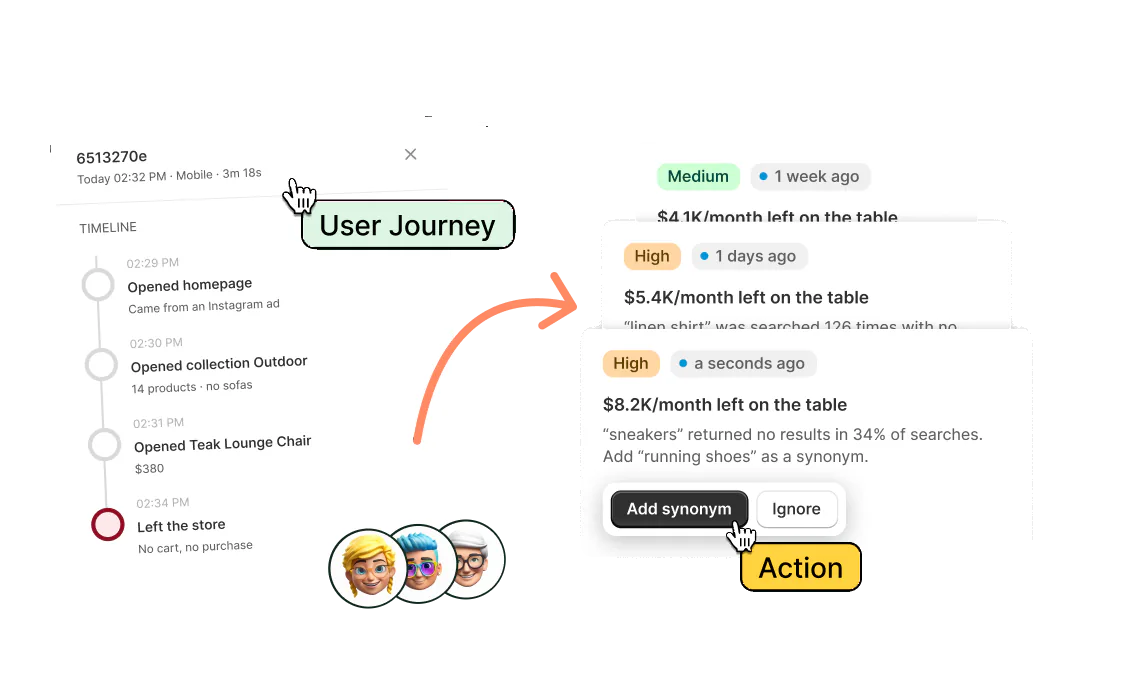
Sledge doesn't send win back emails, newsletters or saved-item reminders; Shopify Messaging keeps that job. Try Sledge free for 14 days, and the shopper who clicks back in meets search that finds what they type, filters and product recommendations. Growth Intelligence turns on when you pick a paid plan. It reads your orders and searches, can flag when few customers order a second time, and totals what its fixes could add in one dollar figure, labeled "Est. potential".