
A BigCommerce to Shopify move mostly runs on spreadsheet files, because Shopify's free Store Migration app doesn't list BigCommerce. Products and customers import by file or through a migration app. Orders need a migration app, reviews need a review app, gift certificates become new gift cards, and passwords can't move. Redirect your old addresses before you switch the domain.
Say you export your products, customers and orders from BigCommerce and open the files. The customer file has no passwords. The monogram box on your mug page is nowhere in the product file. Shopify's free migration app has no BigCommerce option, so you reshape two files yourself and find another way for the orders.
What moves from BigCommerce to Shopify, and what stays behind?
Products and customers move by spreadsheet, while orders, gift certificates and reviews need an app or your own hands, and passwords can't move.
| In BigCommerce | In Shopify | How it gets there |
|---|---|---|
| Products and variants | Products, up to three options each | Spreadsheet import or a migration app |
| Modifier options, such as a monogram box | Extra page fields or variant options | By hand or with an app |
| Categories and brands | Tags, collections and Vendor | In the file or by hand |
| Customers | Customers, no passwords | A spreadsheet under Customers |
| Customer groups and store credit | Tags, segments and store credit | By hand or with an app |
| Orders | Orders | A migration app |
| Gift certificates | New gift cards | By hand or with an app |
| Reviews | A review app | That app's import |
| Old addresses | URL redirects | A spreadsheet under Content |
From Shopify's Help Center and BigCommerce's own help, read November 24, 2026.
Which way should you migrate from BigCommerce to Shopify?
Shopify's free Store Migration app doesn't list BigCommerce, so you use Shopify's spreadsheet import, a migration app that connects to your store, or a Shopify Partner.
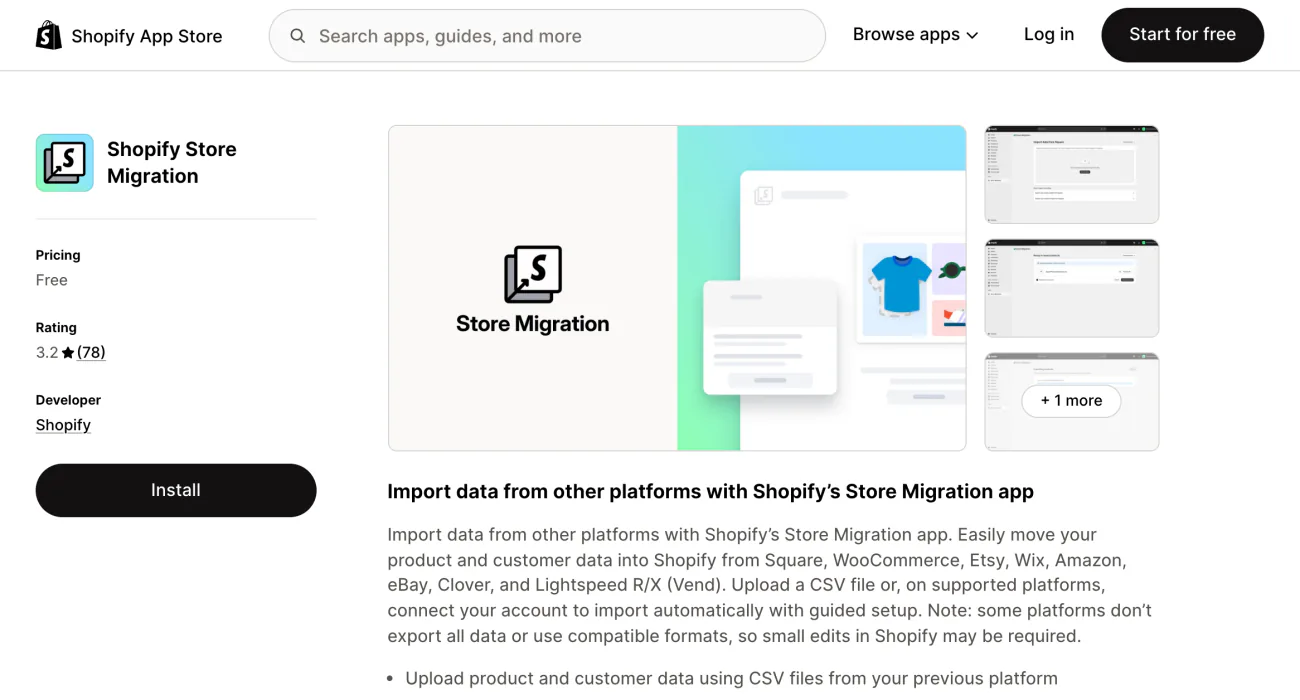
The listing names eight platforms, and Shopify's migration page has guides for ten, none for BigCommerce. So moving from BigCommerce to Shopify means one of three routes. Other platforms: WooCommerce, Wix and Magento.
- Spreadsheet import. BigCommerce exports products, customers and orders as files, and Shopify imports the first two. Reshape each file, then add it under Products, then Import, or under Customers, then Import.
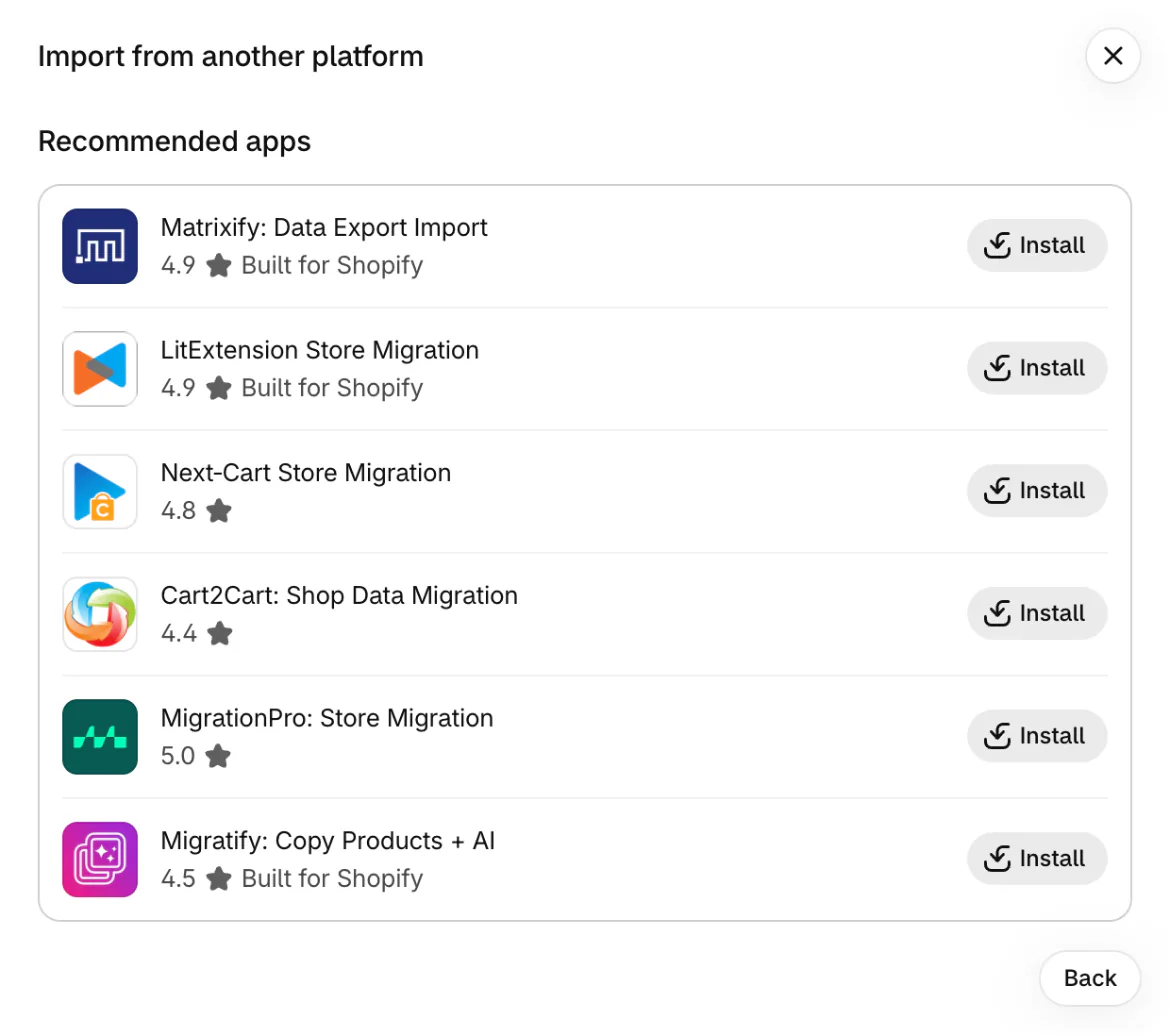
- A third-party migration app. LitExtension Store Migration's listing names products, customers, orders, reviews and coupons, with a free demo of 20 products, orders and customers. Matrixify's tutorial lists products, collections, customers, orders, coupons and redirects through a read-only access key from BigCommerce, with a "Dry Run" preview and a free Demo plan of 10 items per job. Both charge after the demo. Shopify's enterprise blog says orders still need a manual export and conversion, while Matrixify says it migrates them, so test Matrixify's free plan first.
- Shopify Partner. How to hire a Shopify expert covers when it pays.
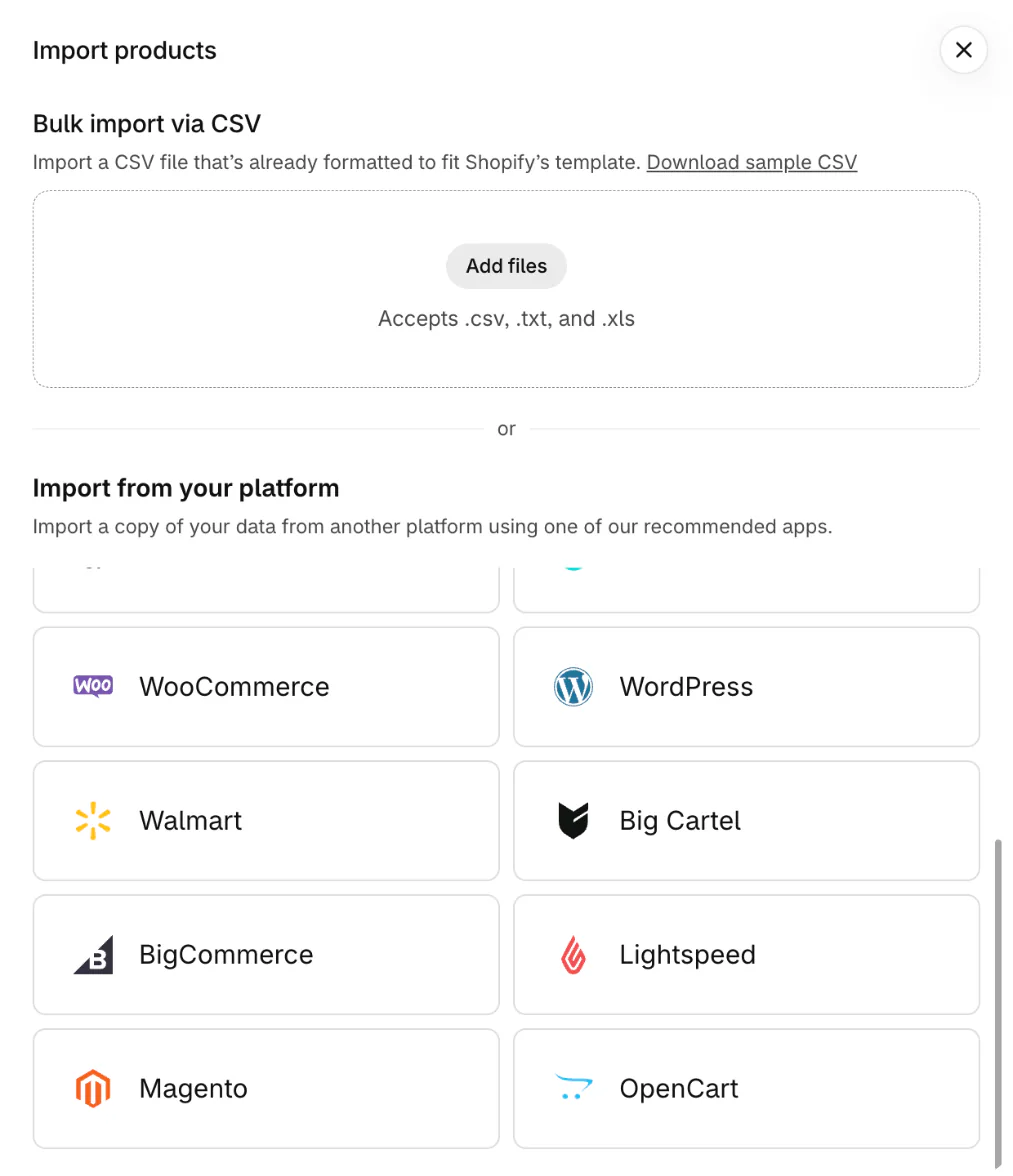
Under Products, then Import, BigCommerce is one of 16 tiles under "Import from your platform", which Shopify describes as importing through its recommended apps.
Move products first, then customers, then orders, as Shopify's migration page advises. How to migrate to Shopify has the full order of work, and Shopify vs BigCommerce compares the platforms.
How do you export your products from BigCommerce?
BigCommerce's help puts the product export under Products, then Export, as a spreadsheet file. Keep an untouched copy of every file.
BigCommerce has an older and a newer product file. In the newer one, click "Start export". In the older one, pick the "Bulk Edit" template and CSV, click "Continue", then "Start export". Size and color choices need "Include Product Options" ticked in a copy of that template, under Settings, then Export templates.
Each picture needs a link in the file, because Shopify downloads it during the import. The newer file has an "Internal Image URL (Export)" column for that, and Matrixify's tutorial says to switch on the picture link column for the older one. Keep BigCommerce running until the import ends.
How do you convert BigCommerce variants, categories and brands for Shopify?
BigCommerce variants become Shopify options, three at most, and its categories and brands each need a new home.
Shopify allows 3 options and 2,048 variants a product. For a fourth option group, see Shopify variants.
| In your BigCommerce file | In Shopify's file | What you do |
|---|---|---|
| Options, a variant's choices in one cell of the newer file | Option1 to Option3, each a name and value | Split the cell, such as Size and Small in Option1. |
| Categories, as ID numbers in the newer file | Tags and Collection | Open each category under Products, then Product Categories, and read its number in the address bar. Shopify's file adds a product to one collection only, so put every category name in Tags. |
| Brand, as an ID number in the newer file | Vendor | Open each brand under Products, then Brands, and read its number in the address bar. |
| Price, Retail Price and Sale Price | Price and Compare-at price | Put what shoppers pay in Price and the crossed-out number in Compare-at price. |
From BigCommerce's help on supported product fields and Shopify's on the product CSV file, read November 24, 2026.
Shopify's sample file has the headings: click "Download sample CSV" in the Import window, paste your values under them and delete the rest. How to import products to Shopify covers the 15 MB limit and what a blank cell erases.
What happens to BigCommerce modifier options on Shopify?
BigCommerce modifier options, such as a monogram box or an add-on checkbox, aren't in its product file, and Shopify's product form has no matching field.
BigCommerce's help describes modifiers as personalizing extras, such as a checkbox, a text field or a file upload. A modifier has no SKU or stock, and a rule can change the price. Its spreadsheet carries the price rules but not the options, so write each product's modifiers down.
On Shopify, a choice with its own stock or price becomes a variant option. A text box or checkbox that needs neither is an extra page field, added by an app from the Custom products category or a change to your theme. These fields don't change the price, so a mug's engraving box that should add $5 needs a variant or an app.
How do you move BigCommerce customers to Shopify?
Export customers with BigCommerce's Bulk Edit template, then fix the address and consent columns. Passwords can't come along.
BigCommerce's help puts the customer export under Customers, then Export: choose "Bulk Edit" and download the file.
| In BigCommerce's file | In Shopify's file | What you do |
|---|---|---|
| State/Province and Country, spelled out as Texas | Province Code and Country Code, as TX | Use short codes. |
| Extra addresses, in numbered columns | Default Address | Keep one. |
| Receive Marketing Emails | Accepts Email Marketing | The column records opt-in to review requests and cart emails, so set yes only for people who agreed to marketing. |
| Store Credit and Customer Group | No column | Tag each group and build a segment. Issue each store credit balance by hand, as Shopify's Help describes. |
From BigCommerce's help on exporting customers and Shopify's on importing them, read November 24, 2026.
Passwords can't move: BigCommerce's file never holds them, and Shopify's import can't take them. With Shopify's customer accounts, each customer signs in with an email and a one-time code. With Shopify's older, legacy accounts, you invite each one to choose a password.
Import the file under Customers, then Import, and tick the box that tags everyone in it and builds a segment, with a tag such as bigcommerce. How to import customers to Shopify covers the file in full.
How do you move BigCommerce orders, gift certificates and reviews?
Shopify's own import takes no orders, gift certificates or reviews, so each needs an app or a rebuild.
Orders. BigCommerce exports them as a spreadsheet. Shopify can't import orders from a file, so use a migration app once products and customers are in.
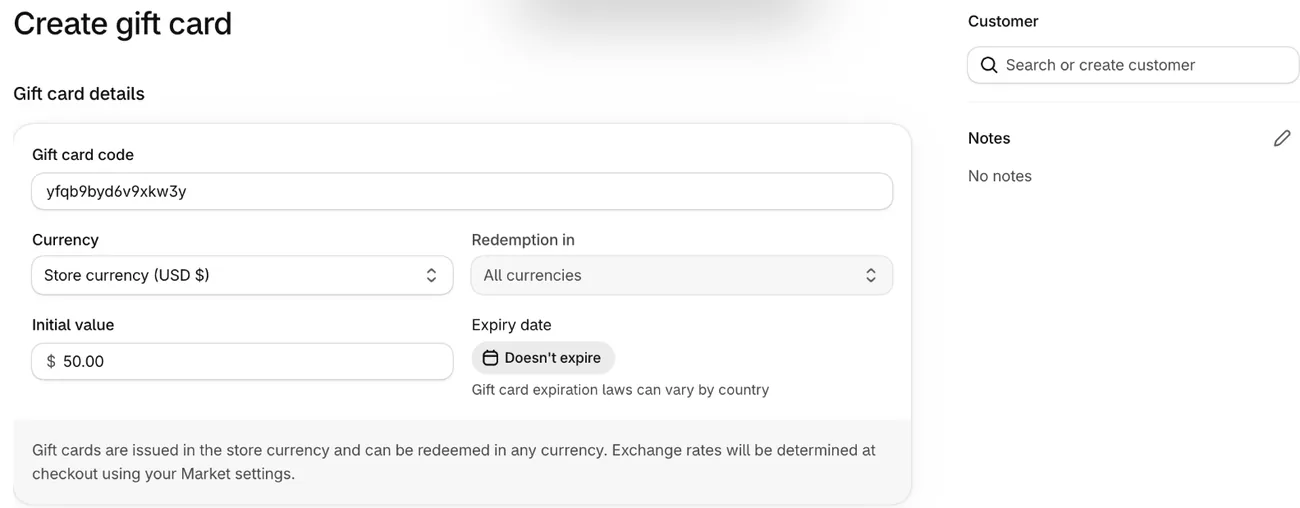
Gift certificates. BigCommerce lists them under Orders, then Gift certificates, and its help points to an app it calls BigTools for an export. Shopify can't create gift cards from a product file or move them between stores, and the codes it makes are random, so tell each holder their new code. Recreate each unspent balance under Products, then Gift cards, with "Create gift card", up to $2,000 USD each.
Reviews. BigCommerce's help says its control panel has no built-in way to import or export reviews, and it names a free app, Product Review Importer & Exporter, that exports them. Pick a Shopify review app and read its import page. Review apps for Shopify, compared lists the free plans. Sledge's Product Review tool collects and moderates new reviews and can't import old ones.
What do you rebuild by hand after the import?
Collections, discount codes, customer groups, pages and blog posts aren't in the files above, so rebuild them before you switch the domain.
- Collections. Open Products, then Collections, click "Add collection", then "Add condition", pick "Tag" (or "Vendor" for a brand page) and choose the tag.
- Discount codes. Recreate each coupon as a discount code, as how to create a discount code on Shopify shows.
- Customer groups. BigCommerce's groups set which categories a visitor sees, and their prices. On Shopify, tag the customers and build a segment, and see Shopify B2B for group prices.
- Pages and blog posts. Copy them by hand. Shopify's migration page lists migration apps for them, but BigCommerce's help describes no export file.
- Theme and apps. A BigCommerce theme doesn't move. List your apps and find a Shopify equivalent for each.
Your BigCommerce filters and Search Keywords don't come over as working features. Put keywords in Tags and each brand in Vendor, and Sledge, a Shopify app for search and filters, can read them once the products are in Shopify. In Sledge's filters, a new filter's Source list offers Collection, Tags, Vendor and each option. In Sledge's search, Field Priority lets you switch Tags on.
How do you keep your old BigCommerce links working?
Each old address needs a URL redirect to its new page, and BigCommerce's newer product file already lists your old product addresses.
- The newer product file's "Product URL" column.
- BigCommerce's redirect list, under Settings, then "301 Redirects", then "Export All".
- Your sitemap, analytics or Google Search Console, for category, brand, page and blog addresses.
| Old BigCommerce address | Shopify address |
|---|---|
| A product's address, from Product URL | /products/ plus its handle, the last part of its address |
| A category page | /collections/ plus its collection's handle |
| A page | /pages/ plus its handle |
Import them under Content, then Menus, then URL redirects: click "Import", then "Add File", and start from Shopify's sample file. A redirect works only from an address that shows Page not found. Shopify's Help lists addresses it won't redirect, including any that begin with /shop, so test your shop page and any old address that starts the same way. An address ending in .html can't redirect to the same address without .html.
Shopify's enterprise blog says BigCommerce pictures are often served from an image network whose addresses you can't redirect. Shopify URL redirects has the steps. Keep the store password on while you test, then follow how to migrate to Shopify for the domain switch.
FAQ
Questions, answered
-

14-day free trial
Explore Sledge on your store before you decide to commit.
-

No credit card required
Start improving your store with no upfront commitment.
-

Setup in minutes
Get Sledge running without a lengthy setup process.
-

Built to grow sales
Turn shopper behavior into actions that help you sell more.
Can Shopify's Store Migration app move a BigCommerce store?
No. The app's listing names eight platforms, from Square to Lightspeed R/X, and BigCommerce isn't one of them. None of Shopify's ten platform guides covers it either. Use a spreadsheet, a migration app linked to your BigCommerce store, or a Partner. Under Products, then Import, BigCommerce is a tile in the list Shopify says imports through its recommended apps.
Can you export BigCommerce customers with their passwords?
No. BigCommerce's help says its customer file never holds passwords, and Shopify says a file can't bring them in either. Customers come back another way: with Shopify's customer accounts each one gets a one-time code by email, and with legacy accounts you invite each one to choose a password. Email them before you switch.
Do BigCommerce orders, reviews and gift certificates move to Shopify?
Not through Shopify's own import. BigCommerce exports orders as a spreadsheet, but Shopify can't import orders from one, so use a migration app. Reviews need a review app, and BigCommerce's help names a free app that exports them. Gift certificates become new Shopify gift cards, created under Products, then Gift cards.
What happens to BigCommerce modifier options on Shopify?
They don't move. BigCommerce's help says its product spreadsheet doesn't carry modifier options, such as a monogram text box or an add-on checkbox. Shopify's product form has no matching field. Its Help points to a variant option, an app from the Custom products category or a change to your theme, and says extra fields don't change the price.
Will my BigCommerce links still work on Shopify?
Not by themselves. Each old address needs a URL redirect to its new page. BigCommerce's newer product file holds the old product addresses in a Product URL column, and Settings, then 301 Redirects, exports the redirects you already had. Shopify imports a redirect spreadsheet under Content, then Menus, then URL redirects.
Does Sledge migrate a BigCommerce store?
No. Sledge works only on Shopify and has no BigCommerce importer, so it moves nothing out of your old store. After the move, its filters can offer your collections, tags, vendors and options, and its search can read the tags you switch on. Plans start at $29.99 a month after a 14-day free trial.
Your BigCommerce filters stayed behind. What replaces them?
Sledge has no importer for BigCommerce and moves no products, customers, orders, reviews or gift certificates. After the move, its filters can read the collections, tags and vendors you rebuilt. Try it free for 14 days, then plans run from $29.99 a month, never a share of your sales. Growth Intelligence turns on when you pick a paid plan, and its suggested fixes add up to one dollar figure, labeled Est. potential.